







Traneasy Producto Tutorial
Traneasy professional translation software for global trade
Overview
Traneasy helps cross-border teams communicate with customers in different countries and build deeper business conversations with international contacts.
Real-time two-way translation for major global social apps, 200+ languages, unlimited multi-instance apps, lead counters, broadcast outreach and more practical tools.

Core Features
- Soportes 20+ major global social apps
- Soportes DeepL, Google, Microsoft and other translation engines.
- Soportes mutual translation across 200+ languages
- Soportes per-user translation language settings
- Soportes unlimited app multi-instance
- Unlimited sub-account management
- Soportes voice and image translation
- Soportes quick text and image replies
- Soportes broadcasts and counters
- Soportes AI auto replies
- Soportes customer profiles
- Soportes custom IP proxies
Start Here
- Traneasy website:www.traneasy.com.cn
- Traneasy download:https://www.traneasy.com.cn/#/download
- Traneasy registration:https://www.traneasy.com.cn/#/login?type=2
- Traneasy login:https://www.traneasy.com.cn/#/login?type=1
- Traneasy support verification:https://www.traneasy.com.cn/#/contactUs
Registrarse & Iniciar sesión
Registrarse a Traneasy Account
- Click “Registrarse” on the website to open the account registration page.
- Enter the required information, accept the user agreement, then click Registrarse.
- After registration, use the account to log in through the client or website.
Traneasy Login
- Click “Iniciar sesión” on the website or in the client.
- Enter the registered account and password, then click Iniciar sesión to enter the console.
- If you forget your password, recover it by email.
Descargar & Install
Descargar Client
- Visit the official download page: https://www.traneasy.com.cn/#/download
- Choose the matching system version (Windows / macOS / domestic OS build) to download.
- After download, double-click the installer and follow the prompts.
System Requirements
- Windows 10 or later, 64-bit
- macOS 11 or later
- A stable network is recommended to keep translation engines connected.
Traneasy Website Console
After logging in to the Traneasy website, manage accounts, character quotas and sub-accounts from the console.
Main Features
- Account info: view main account, remaining characters and plan validity.
- Sub-account management: add, delete and allocate characters to staff accounts.
- Top-up and renewal: buy character packages or monthly plans online.
- Order records: view purchase history and invoices.
- Contact support: scan a code or fill a form to reach sales and support.

Traneasy Client
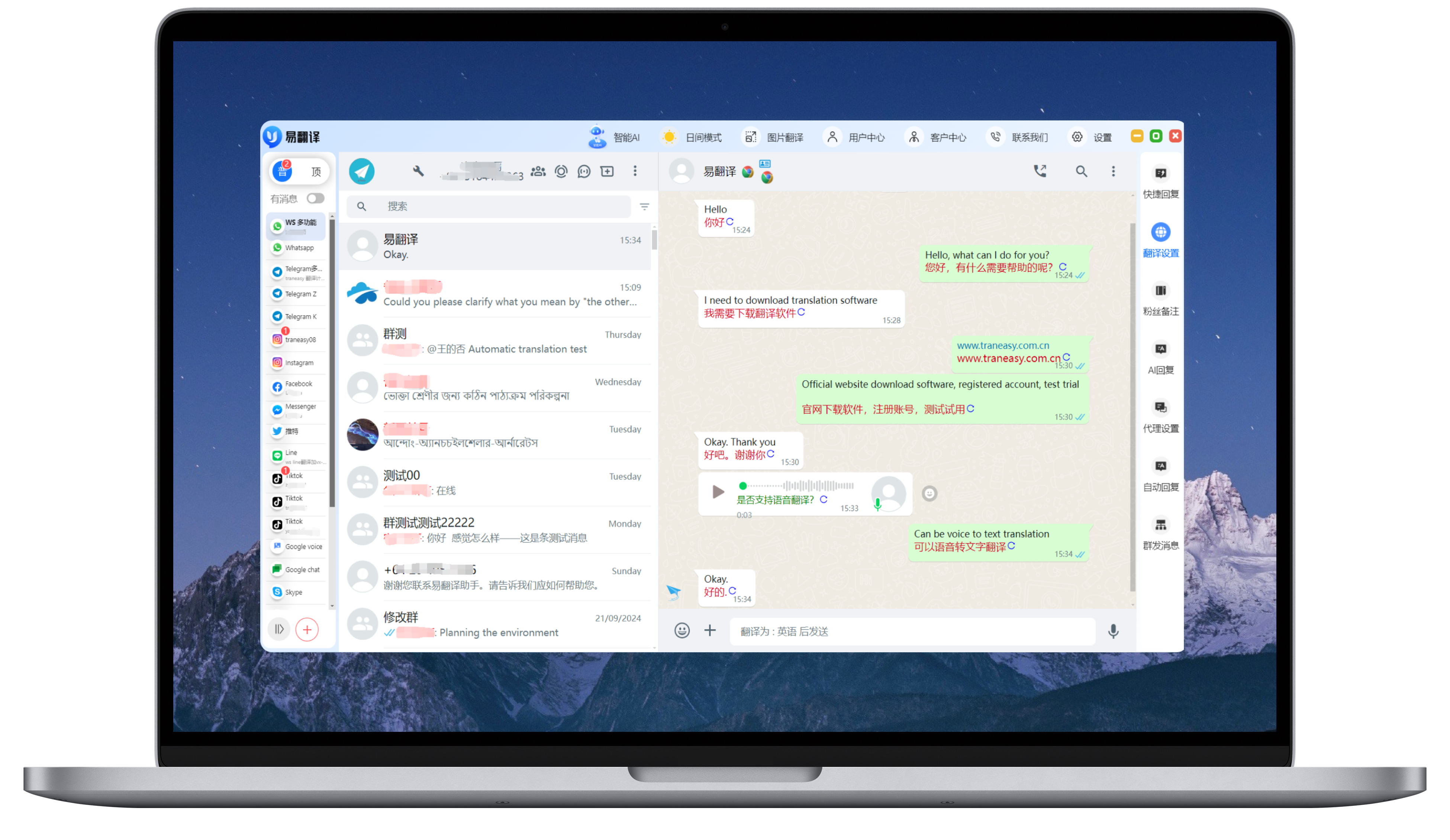
The Traneasy client is the core tool for daily chat translation, integrating major social apps with automatic two-way translation.
Main Areas
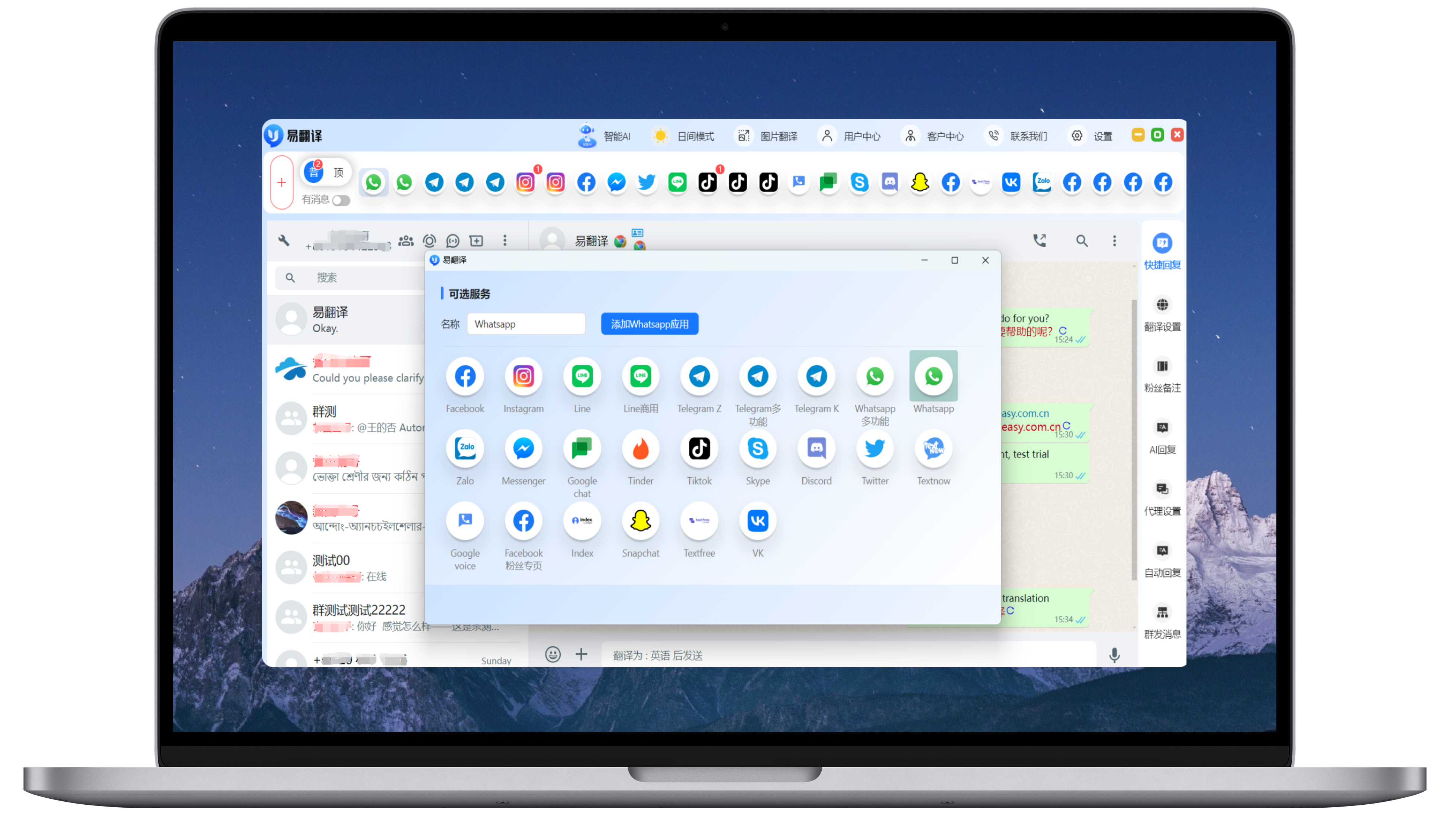
- Left navigation: switch between WhatsApp, Telegram, Line, Zalo and other integrated apps.
- Conversation area: incoming messages are translated into your language automatically.
- Bottom input: type your message and send it after automatic translation.
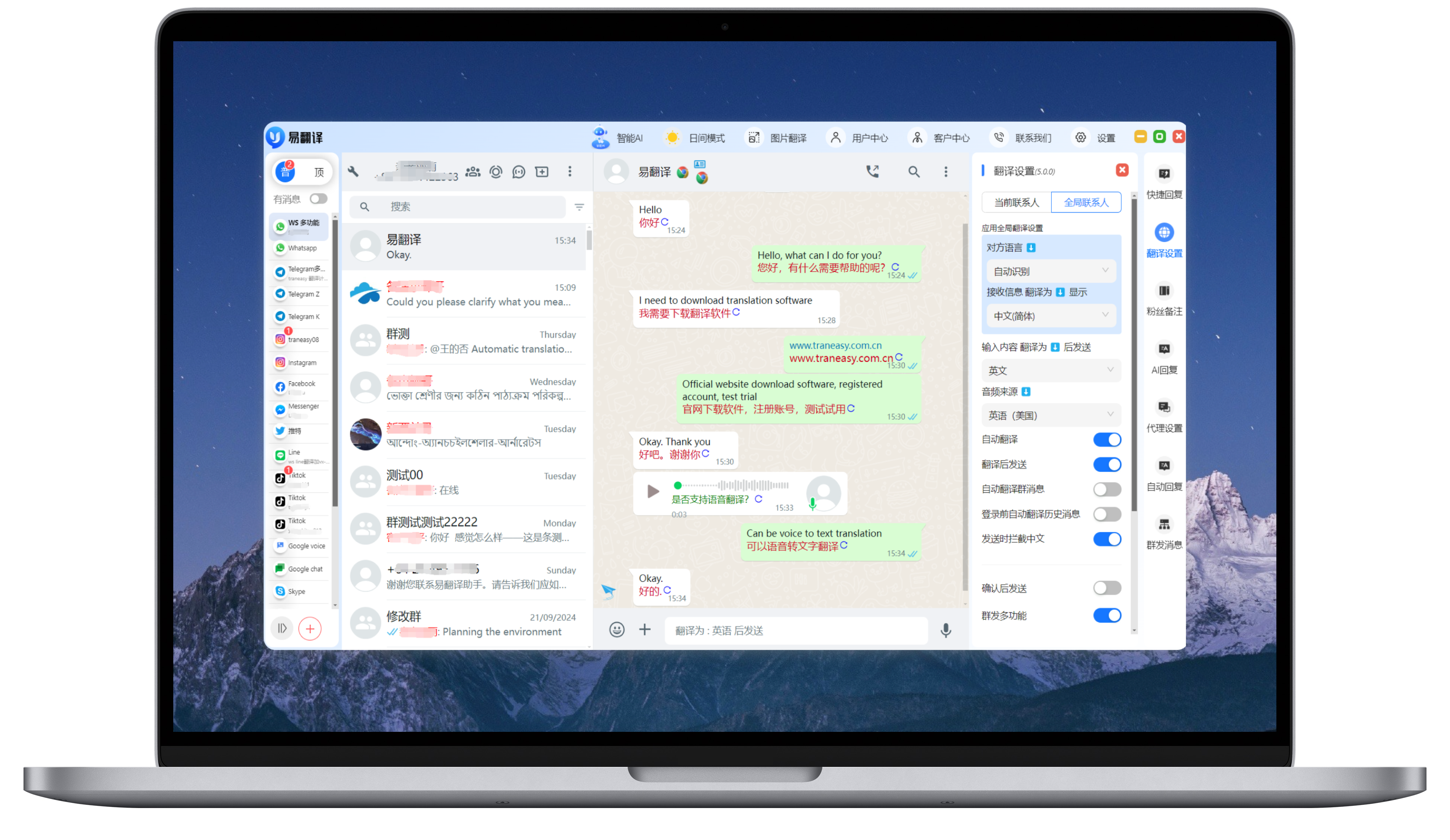
- Right sidebar: translation settings, AI replies, quick phrases, customer tags and more.
Automatic Translation and Engines
- Incoming and outgoing messages are translated automatically based on your language settings.
- Switch freely between DeepL, Google, Microsoft and other translation engines.


App Multi-instance
Open multiple instances of the same app for multi-account communication.

Smart AI
AI Smart Reply generates suitable responses from the current conversation context to improve support response speed.
Steps
- Turn on AI Reply in the right sidebar.
- Click the AI icon in a conversation and AI will generate a contextual reply.
- Send it directly or edit it before sending.

Image Translation
Image translation recognizes text in images and translates it into the target language for orders and product images.
How to Use
- Click Image Translation at the top of the client.
- Upload or paste the image you want to translate.
- Select source and target languages, click Translate, and results appear on the right.
Customer Center
Customer Center manages added friends and customers with tags, notes, statistics and profiles.
- Friend stats: automatically sync friend counts from WhatsApp, Line, Zalo and more.
- Tags and notes: tag key customers for grouping and follow-up.
- Customer profiles: view source, activity and profile data.

Broadcast Feature
Soportes broadcast greetings on WhatsApp, Google Voice, TextNow and more.

Display Settings
Display settings customize the client appearance and how translations are shown.
- Theme: light / dark / follow system
- Font size: small / medium / large
- Translation display: above original / below original / translation only
- Message bubbles: custom colors and rounded corners